Ask a serious gamer what wins a match and many will say the headset. Not the screen, not the mouse, but the sound. A footstep behind a wall, a reload in the next room, a teammate whispering a warning, all of it comes through the headset before it ever shows up on screen. A good gaming headset does not just play sound. It puts you inside the game, with the world all around you, and it lets your team hear you clearly when the match gets loud.
A luxury gaming headset is a pair of large over-ear headphones with a boom microphone, built to deliver detailed game sound and clear voice chat. It works by taking the game’s audio from the computer or console, shaping it for direction and distance, and driving it through large speakers, called drivers, that sit over each ear. The boom microphone picks up your voice and sends it back to your team. Getting the sound, the comfort and the microphone right in one headset is the work of the factory.

How It Works
Step 1: The game sends the audio
It starts at the computer or console. The game builds its sound from many parts at once, the music, the voices, the gunfire, the footsteps, and the ambient noise of the world, and it mixes them into a stream of audio. That stream travels to the headset over a cable or a wireless link, usually a low-latency radio that keeps the sound in step with the picture. If the sound lagged behind the screen by even a fraction of a second, the game would feel wrong, so the link is built for speed first.
Step 2: The sound card shapes the sound
Inside the headset, or in a small control box on the cable, a sound chip takes the game’s audio and shapes it. It adds surround sound, the trick that makes a footstep sound like it is coming from behind you and to the left, by delaying and filtering the sound a little differently for each ear. It also balances the mix, lifting quiet sounds like footsteps and softening loud ones like explosions, so you can hear the detail without being deafened. Luxury headsets let you tune this mix yourself, with presets for different kinds of games.

Step 3: The amplifier powers the drivers
The shaped signal is still too weak to hear, so a small amplifier inside the headset boosts it. The amplifier takes power from the cable or the headset’s battery and uses it to push the signal harder, keeping it clean at high volume so the bass stays tight and the treble stays sharp. A good amplifier works quietly, adding no hiss of its own, and it drives the two ear cups evenly, so the left and right ears hear the same world at the same level.
Step 4: The drivers make the sound
The driver is the speaker inside each ear cup, usually a dynamic driver 40 to 50 millimetres across, a coil of wire around a magnet with a thin diaphragm on top. When the amplified signal runs through the coil, the magnet pulls it back and forth, and the diaphragm moves the air in the sealed space of the ear cup, which your eardrum hears as sound. The large ear cups give the driver room to move, which is why a gaming headset can make deep, punchy bass that a small earbud cannot, and the sealed cups keep the sound in and the room noise out.
Step 5: The microphone picks up your voice
The boom microphone hangs in front of your mouth on a flexible arm, and it is built to hear you and ignore everything else. It is a directional microphone, which means it picks up sound from straight ahead and rejects sound from the sides, so it catches your voice and not the keyboard or the game sound leaking from the ear cups. The chip in the headset strips out background noise and steadies your volume, so your team hears you clearly even when you are shouting in a tense round.
Step 6: The cushions keep you comfortable
The last part of the machine is the part that touches you. The ear cushions are made from memory foam covered in leather or soft fabric, and they seal around your ears to keep the sound in and the pressure even. The headband spreads the weight across the top of your head, and the whole headset is balanced so it stays put through a long session without pressing on your ears. The gaming headset itself is built to be worn for hours, and a headset that hurts after one match is a headset that will sit in a drawer, no matter how good it sounds.
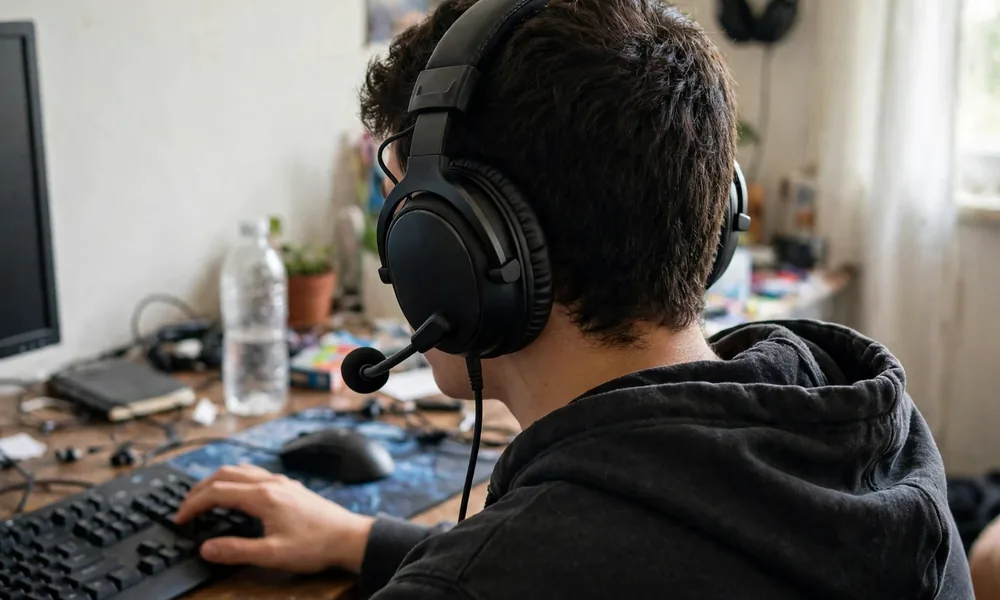
Weight matters as much as sound, because a headset that is heavy on one side will slide and press, and a match can last for hours. Luxury headsets keep the battery and the electronics balanced between the two ear cups, so the headset sits level on the head, and the headband is shaped to spread the load across the crown rather than pressing on one spot. Some models use a floating headband, a strap that hangs below a rigid frame and adjusts itself to the shape of your head, so there is nothing to tighten and nothing to slip. Get the balance right and the headset disappears, and the only thing you notice is the game.
Gaming Headset Specifications
| Feature | Typical Detail |
|---|---|
| Connection | Wired or low-latency wireless, USB or 3.5 millimetre jack |
| Driver | Dynamic driver, 40 to 50 millimetres per ear |
| Sound | Virtual surround sound, tunable game presets |
| Microphone | Directional boom microphone, noise cancelling |
| Battery life | 20 to 30 hours wireless, unlimited when wired |
| Comfort | Memory foam cushions, padded headband, around 300 grams |
How Much Does a Luxury Gaming Headset Cost?
Prices are estimates and vary with brand, features and model. Luxury gaming headsets typically cost an estimated $200 to $350, with top wireless models that add strong surround sound, long battery life and a broadcast-quality microphone reaching an estimated $400 or more. Replacement ear cushions typically cost an estimated $15 to $40 a pair. A replacement boom microphone typically costs an estimated $20 to $50. It is a lot of money for a headset, but it carries large drivers, a fast wireless link, a directional microphone and hours of comfort in one package, and a cheap headset is a false saving that shows up in every match.
A Rare Fact About Gaming Headsets
Here is a detail most players never notice: the surround sound in a gaming headset is a trick played on your ears, and your brain does most of the work. The headset has only two drivers, one per ear, yet it can make a sound seem to come from behind you, above you, or across the room. It does this by copying the tiny delays and muffling that your head and ears add to real sounds, and feeding each ear a slightly different version. Your brain hears the difference and places the sound in space, the same way it does in the real world. The VR headset on the next desk and the gaming mouse in your hand solve different problems, but the headset’s trick is the oldest one in audio, and it still wins matches.


