Open an e-reader on a bright beach and the page looks like paper. There is no glare, no glow, and no battery draining away while you read. Close the cover, come back a month later, and the words are still there, exactly as you left them, on a screen that has used no power at all in the meantime. That is an E-Ink display, and it is the only screen in the world that is made of ink.
Every other screen you own makes light. An E-Ink display does the opposite: it reflects the light around it, the way a printed page does. Inside it sit millions of tiny capsules, each one filled with black and white particles that rise and fall like ink in water. A small electric pulse moves the particles, the image forms, and then the power switches off while the page stays put. That single trick is why an e-reader can run for weeks on one charge and be read in direct sunlight. The numbers on an E-Ink spec sheet look modest next to a phone or a tablet, and that is exactly the point: a resolution of 300 pixels per inch, a refresh measured in fractions of a second, and a battery measured in weeks are the trade-offs of a display designed to disappear, leaving only the words behind.

The Key Specs, in One Place
Before the details, here are the numbers that matter most when you compare E-Ink displays.
| Specification | Typical figure | What it means |
|---|---|---|
| Resolution | 167 to 300 ppi | How sharp the text looks; 300 ppi matches print |
| Screen size | 6 to 13.3 inches | From pocket readers to A4-sized note tablets |
| Greyscale levels | 16 levels | Shades of grey for images and smooth text |
| Contrast ratio | About 15:1 | Lower than LCD, but readable like paper |
| Full refresh time | About 450 to 900 ms | Time to redraw a whole page |
| Partial refresh time | About 120 to 260 ms | Time to update a small area, such as a menu |
| Power when static | 0 watts | A held image needs no power at all |
| Power during a page turn | About 20 to 50 mW | Only the moment of change draws current |
| Battery life | 4 to 8 weeks | Based on about 30 minutes of reading a day |
| Colour support | 4,096 colours (Kaleido) | Colour E-Ink, at lower resolution than greyscale |
| Front light | Warm and cool LEDs | Lights the page from the front, not from behind |
Resolution is the first number to check, measured in pixels per inch. A basic reader at 167 ppi looks fine at arm’s length, but the letters have slightly soft edges. A premium reader at 300 ppi looks like a printed book, with crisp serifs and smooth curves, and the difference is easy to see if you hold two readers side by side. A 6-inch reader fits in a jacket pocket, while a 10-inch or 13-inch model is really a digital notebook.
Refresh time is the number that surprises people most. A phone redraws its screen sixty times a second, but an E-Ink page takes nearly half a second to change, and a full refresh can flash black and white as the capsules reset. That flash clears away the faint ghost of the old page. Contrast looks weak on paper at about 15:1, yet the page reads beautifully because its white is the white of reflected daylight, not a backlight. The materials inside an E-Ink display decide how fast those capsules move and how clean the page looks after each change.
How an E-Ink Display Works
An E-Ink display is a sandwich of thin layers, and the magic happens in the middle, in a layer of microcapsules no thicker than a coat of paint. Here is how a page gets from a file in memory to ink on a screen.
Step 1: Making the microcapsules
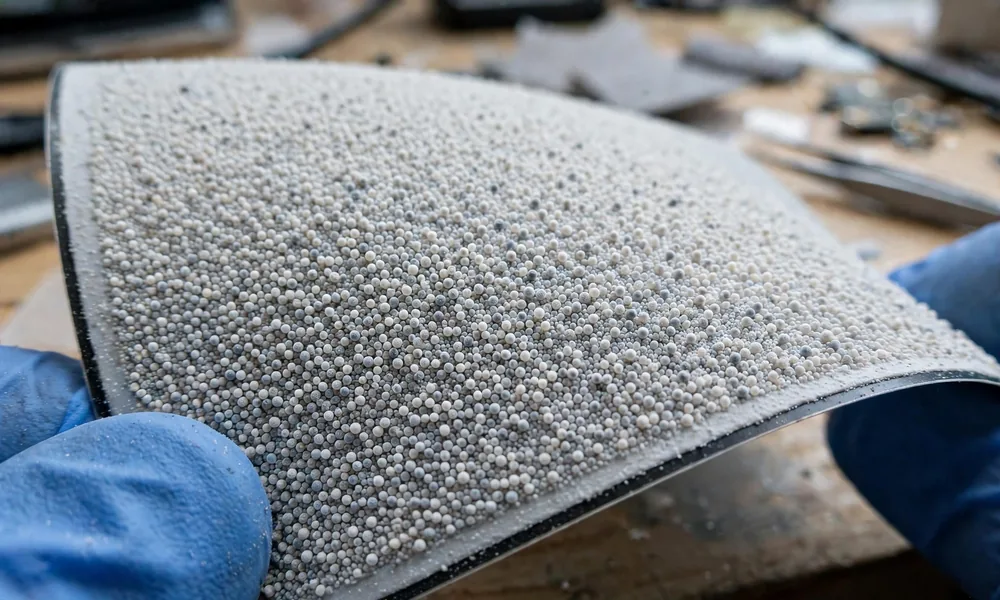
Everything starts with the microcapsules, each about the width of a human hair. Inside every capsule sits a clear fluid carrying white particles of titanium dioxide, which carry a positive charge, and black particles of carbon, which carry a negative charge. The capsules are sealed in thin shells and coated onto a flexible plastic film, one capsule thick.
Step 2: Building the transistor backplane
Under the capsule layer sits a backplane of thin-film transistors, built on glass for rigid readers or on plastic for flexible ones. Each transistor controls one pixel, switching the electric field beneath it on and off.
Step 3: Applying the electric field
When a page turns, the backplane applies a voltage to each pixel. A positive charge pulls the black particles to the surface so the pixel turns dark, and a negative charge does the reverse. Varying the pulse gives the 16 shades of grey in between.
Step 4: Holding the image with no power
Once the particles have moved, they stay where they are. The fluid inside each capsule is thick enough that the particles do not drift, so the image holds for weeks with the power completely off. This is called bistability: the screen only spends energy while a page is changing.
Step 5: Lighting the page from the front
Because the display makes no light of its own, modern readers add a front light: a row of small LEDs along the edge that shines across the surface, like a reading lamp built into the bezel. The light never shines into your eyes, which is why reading in the dark on an e-reader feels gentler than reading on a phone.
What One Costs
A basic 6-inch e-reader with a 167 ppi screen typically costs around $100 to $130, and it is all most readers need. Step up to a 300 ppi screen with a warm front light and waterproofing, and the price rises to roughly $150 to $200. Large note-taking tablets with a stylus and a 10-inch or 13-inch screen sit in a different bracket, at an estimated $300 to $600, with the biggest colour models reaching higher still.
What you are paying for is mostly the screen. A 300 ppi panel costs more to make than a 167 ppi one, and a colour panel costs more again, because the colour filter layer cuts the resolution and adds a manufacturing step. The same idea of a screen that sips power rather than gulping it shows up elsewhere too, from the small display on an e-bike to folding phones, where the materials of a foldable display face a similar battle against power and fragility.
A Rare Fact
An E-Ink display can hold its image even when the device is completely dead, with a flat battery and no way to charge it. The particles simply stay where the last pulse left them, frozen in the fluid like insects in amber. Museums use this quirk for labels that never need power. It is the only screen technology where a dead device still shows you something, and a reminder that the best engineering sometimes means doing nothing at all.

So the next time you compare screens, do not only ask how bright they are or how fast they refresh. Ask what the screen is for. If the answer is reading, the numbers that matter are the quiet ones: 300 pixels per inch, zero watts while you read, and a battery measured in weeks.