Play a fast game on a luxury gaming monitor and the first thing you notice is how little you notice. There is no blur when you turn, no tearing when the action speeds up, no lag between your hand and the screen. The world on the display feels immediate, as if the game were happening on the other side of a window rather than inside a box on your desk.
That immediacy is engineered, not accidental. A luxury gaming monitor is built around a panel that refreshes many times a second, a backlight that can switch in an instant, and electronics that keep the picture in perfect step with the graphics card. Every part, from the glass to the stand, is chosen to shave away delay.
This is how a luxury gaming monitor works, from the panel that draws the picture to the processor that keeps it smooth.

How It Works
Step 1: The panel that draws the picture
The heart of the monitor is its panel, a sandwich of glass, liquid crystals and filters that controls light pixel by pixel. Luxury gaming monitors use fast IPS or OLED panels, chosen because their pixels can change colour in a millisecond or less. That speed is what stops fast movement smearing across the screen.
Each pixel is made of three sub-pixels, red, green and blue, and the panel decides how much light passes through each one. On an OLED panel, each pixel makes its own light and can switch fully off, which is why blacks look truly black. On a fast IPS panel, a powerful backlight shines through, and the crystals twist to block or pass the light. The luxury gaming monitor build explains how that panel is assembled, while this guide looks at what it does in play.
Step 2: Refresh rate and why it matters
A normal screen redraws itself sixty times a second. A luxury gaming monitor redraws itself 144, 240 or even 360 times a second, and that difference is easy to feel. At high refresh rates, motion looks smoother, aiming feels more precise, and your eyes tire less over a long session, because the picture is never far out of date.
The panel needs a fast connection to keep up. DisplayPort carries the huge flow of data from the graphics card, and the monitor’s timing controller, a small chip behind the panel, makes sure every frame arrives in order. If the card and the monitor fall out of step, the picture tears, with one half of the screen showing an older frame than the other.
Step 3: Adaptive sync that stops tearing
To stop tearing, luxury monitors use adaptive sync, a system that lets the graphics card tell the monitor exactly when a new frame is ready. Instead of refreshing on a fixed clock, the monitor waits for the card, so each frame is shown whole, the moment it is finished. The result is a picture that stays smooth even when the frame rate rises and falls.
The system works across a wide range, from low frame rates in a demanding scene to very high rates in a simple one. Below the range, the monitor doubles frames to stay in step, so the smoothness never breaks. It is a quiet piece of engineering, invisible when it works, and obvious the moment it is switched off.
Step 4: The backlight and high dynamic range
Behind the panel sits the backlight, and on a luxury monitor it is far more than a single lamp. Hundreds or thousands of tiny dimming zones switch on and off independently, so a bright explosion can blaze while the night sky beside it stays dark. That local dimming is what gives the picture its depth.
High dynamic range, or HDR, uses that control to show far more steps between dark and bright than an ordinary screen. A sunset can hold detail in both the sun and the shadows, and a torch in a dark corridor can genuinely dazzle. The monitor’s processor maps each frame to the backlight in real time, zone by zone, thousands of times a second.
Step 5: Colour, calibration and the processor
A gaming monitor must be fast, but it must also be accurate. Luxury models are calibrated at the factory, with each unit measured against a known colour standard and its settings adjusted until the colours match. That calibration is stored in the monitor, so the picture looks right the moment you plug it in.
The scaler chip inside does the rest: it takes the signal from the computer, adjusts the size, sharpness and colour, and sends it to the panel without adding delay. A slow scaler can add many milliseconds of lag, which is why luxury monitors use fast, dedicated chips and a low-latency mode that skips every unnecessary step. The luxury gaming laptop feeding the monitor needs the same low-latency thinking, or the speed of the screen is wasted.
Step 6: The stand, ports and cooling
Finally, the monitor has to live comfortably on a desk. The stand adjusts in height, tilt and swivel, and the screen can rotate for a vertical view, so the player can set the exact eye level that stops neck strain. A VESA mount lets the screen hang from an arm instead, freeing the desk entirely.
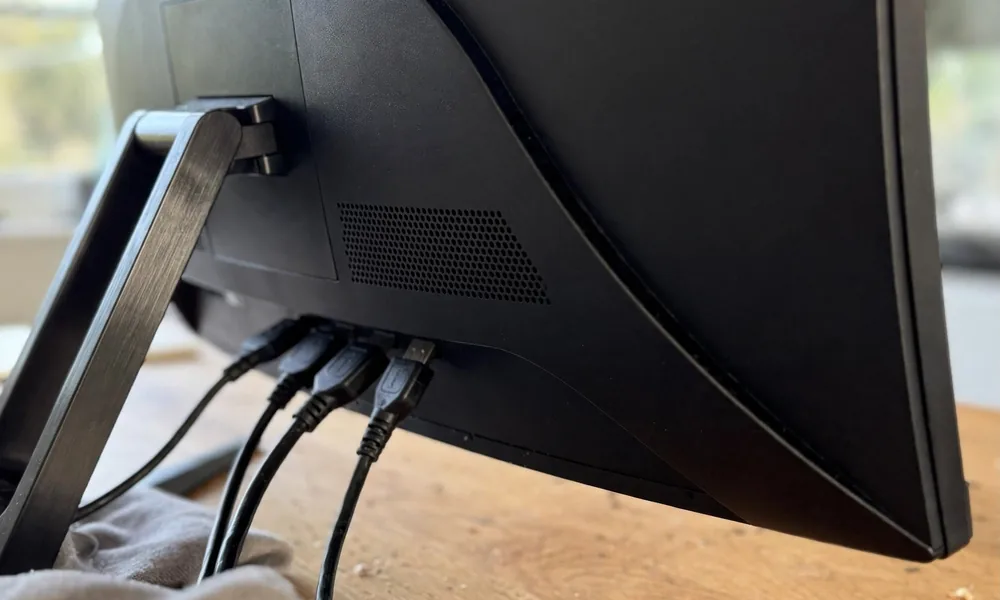
Around the back are the ports: DisplayPort and HDMI for the picture, USB for a keyboard or headset, and sometimes a fast hub for charging. The electronics generate heat, especially at high brightness, so vents and a metal chassis carry it away silently, with no fan to distract the player. A luxury gaming chair completes the setup, holding the player at the same steady height hour after hour.
What it is made of
The table below sums up the parts that matter most in a luxury gaming monitor, from the panel to the ports.
| Part | Typical luxury choice |
|---|---|
| Panel | Fast IPS or OLED, 27 to 34 inches |
| Resolution | 2560 by 1440 or 3840 by 2160 |
| Refresh rate | 144 to 360 hertz |
| Response time | 1 millisecond or less, grey to grey |
| Sync | Adaptive sync, tear-free frames |
| Backlight | Local dimming, HDR support |
| Ports | DisplayPort, HDMI, USB hub |

How much does one cost?
A luxury gaming monitor is priced like a precision instrument, and the panel is the main reason why: a fast, high-resolution panel with local dimming costs far more to make than an ordinary office screen, and factory calibration adds hours of skilled work to every unit. As an estimate, a high-end 27-inch gaming monitor costs roughly 800 to 1,500 dollars, with larger ultrawide and OLED models running higher.
At the very top, a 32-inch 4K OLED monitor with a 240-hertz refresh rate can be estimated at 2,000 dollars or more. Players accept the price because the monitor is the one part of the setup they look at for every second of every game, and a faster, clearer picture is an advantage no other upgrade can match.
A rare fact
Here is something few people know: the first high-refresh monitors were not made for gamers at all. They were built for medical imaging and air-traffic control, where a smooth, flicker-free picture helped specialists spot tiny changes. Gamers discovered them second-hand, bought them up, and asked the makers for faster and faster versions until the gaming monitor became a product in its own right.
The result is a screen that feels less like a display and more like a window into the game. Building one takes precision glasswork and careful calibration, but the payoff is a picture that keeps up with your hands, frame after frame.


