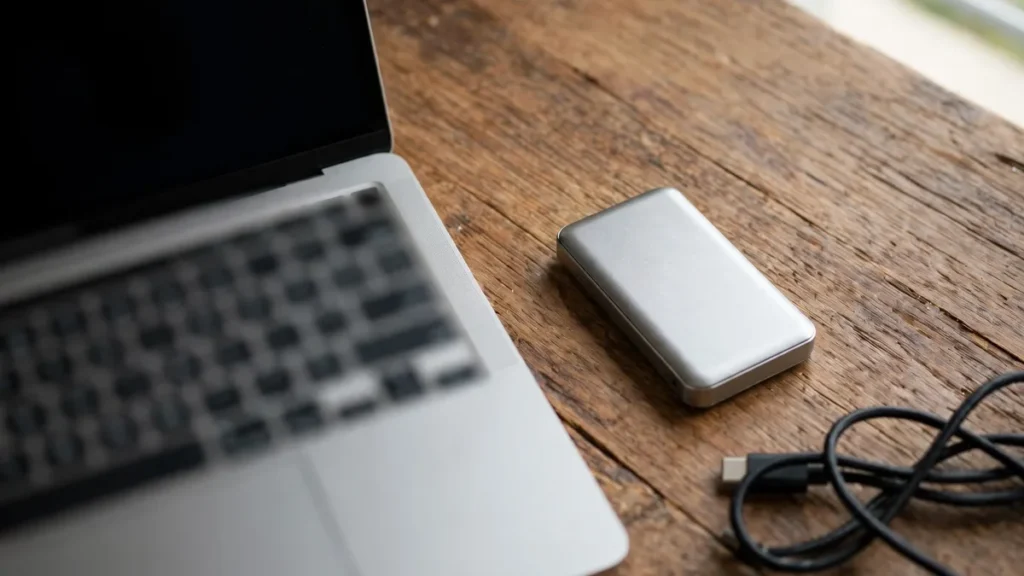
It fits in a jacket pocket, weighs less than a phone, and holds a lifetime of photographs. When people ask him why he trusts a drive the size of a matchbox with irreplaceable work, he points to the spec sheet. Not the brand, not the price, but the numbers: the speed, the toughness, the encryption. This guide explains those numbers.
A luxury portable SSD is the storage equivalent of a good safe: small, quiet, and built to be forgotten about until the day it matters. The market is crowded with cheap drives that look identical in photographs, and the differences only appear when a file transfer stalls, a drive overheats, or a laptop is stolen. The spec sheet is the only honest way to tell them apart before buying, and it is shorter than most people expect. Five or six lines decide almost everything.
Read it properly and a luxury portable SSD stops being a mysterious gadget and becomes a simple tool with measurable strengths. This guide walks through each line, explains what it means in daily use, and shows what a premium drive should deliver for its price.

The Spec Sheet, Line by Line
1. Read and write speeds
The headline numbers are sequential read and write speeds, often 1,000 to 2,000 megabytes per second on a luxury drive, and up to 4,000 on the fastest models. Read speed decides how fast files open; write speed decides how fast they save. A photographer copying a day’s shoot, or a video editor moving 4K footage, feels the difference immediately. The sheet should give both figures separately, because some drives read fast and write slowly, and the honest test is a large real file, not a small benchmark. Speeds also depend on the cable and the port, so the drive is only as fast as its weakest link.
2. Interface: USB, Thunderbolt, and generations
Behind the speed sits the interface. USB 3.2 Gen 2, USB4, and Thunderbolt are the names to know, and each sets a ceiling on what the drive can do. A drive with a USB4 or Thunderbolt interface can reach the highest speeds, but only when plugged into a matching port; in an older USB port it simply runs slower. The sheet lists the interface and the cable supplied, and the wise buyer checks the ports on their own laptop before paying for speed they cannot use.
3. Capacity and how it is really measured
Capacities run from 500 GB to 8 TB, with 1 TB and 2 TB the sweet spot for most luxury buyers. One quiet truth on every spec sheet is that a drive never holds quite as much as its label promises, because manufacturers count a gigabyte as a billion bytes while computers count it as slightly more, and formatting takes a slice too. A 1 TB drive typically offers about 930 GB of usable space. The sheet’s capacity is honest; the buyer’s expectation is usually the problem.
4. Drop, dust, and water resistance
A portable drive travels, so the sheet gives toughness ratings: drop resistance, often three metres onto concrete, and IP ratings for dust and water, with IP55 common on rugged luxury models. The body is usually milled aluminium or a rubber-armoured shell, and inside, the lack of moving parts already makes a solid-state drive far tougher than an old spinning hard disk. These numbers matter most to the people who work outdoors, but a drive dropped once on a kitchen floor can ruin anyone’s week. Toughness is insurance you carry in your pocket.
5. Encryption and security
A small drive is easy to lose, so the sheet lists security features, and the most important is hardware encryption, usually AES 256-bit, which scrambles the data so that a thief without the password sees nothing. Some drives add a fingerprint reader or a PIN pad, so unlocking is a touch rather than a typed password. The sheet should also say whether the encryption is done in hardware, which is fast and always on, or in software, which can slow transfers. For a drive holding client work or family memories, this line is worth more than any speed figure.
6. Heat, endurance, and warranty
The last lines cover the drive’s working life: how it handles heat during long transfers, its endurance rating, and its warranty, often three to five years on a luxury model. Sustained writes generate heat, and a drive without proper thermal design will slow down halfway through a big copy, a behaviour called throttling. The sheet rarely admits to throttling directly, so look for mentions of thermal management and check independent reviews. A long warranty is the manufacturer’s quiet vote of confidence in its own engineering.

Typical Specifications
| Specification | Typical Luxury Figure |
|---|---|
| Sequential read speed | 1,000–2,000 MB/s, up to 4,000 MB/s on fastest models |
| Sequential write speed | 1,000–2,000 MB/s |
| Interface | USB 3.2 Gen 2, USB4, or Thunderbolt |
| Capacity | 500 GB–8 TB; 1–2 TB most common |
| Drop resistance | Up to 3 metres onto concrete |
| Dust and water rating | IP55 on rugged models |
| Encryption | AES 256-bit hardware encryption, optional fingerprint or PIN |
| Warranty | 3–5 years |
What It Costs
A luxury portable SSD typically costs an estimated $150 to $600, depending on capacity and speed. A 1 TB drive with 1,000 MB/s speeds sits near the bottom of that range, while a 2 TB or 4 TB Thunderbolt drive with hardware encryption and rugged armouring reaches the top. That is roughly double the price of a basic drive of the same capacity, and the premium buys speed, toughness, and security rather than storage alone. Prices per terabyte fall every year, so the smartest purchase is often the capacity you need today plus room to grow, rather than the largest drive on the shelf.
There are no running costs to speak of. The drive draws its power from the port it is plugged into, needs no subscription, and asks for nothing but an occasional backup of its own contents. The real cost of a cheap drive is not measured in dollars but in the afternoon spent recovering files, or the shoot that cannot be repeated. A luxury drive is expensive once and silent for years.

A Rare Fact
Here is a detail that surprises most buyers: a portable SSD has no moving parts at all, which means it can survive a fall that would destroy a traditional hard drive instantly, and it can work in silence, in any orientation, even upside down. The first solid-state drives were built for military aircraft, where vibration and shock would shake a spinning disk to pieces. The little metal slab in a photographer’s pocket is a direct descendant of hardware designed to survive a jet fighter, which is a reassuring thought when it slips out of a jacket and bounces down a staircase.
Choose the drive by the sheet, not the photograph: match the interface to your laptop, buy more capacity than feels necessary, and insist on hardware encryption. Do that, and the drive disappears into daily life, which is exactly what good engineering should do. The numbers are not there to impress; they are there to promise, quietly, that the work inside is safe. For more on how precision engineering is specified elsewhere, see our guide to luxury ship bridge specs, the luxury ship engine room specs, and luxury yacht helicopter pad specs.