The game loads and the world opens: a rain-soaked city at night, neon signs reflected in every puddle, a hundred characters moving through the streets. Nothing about it feels like arithmetic. But that is exactly what it is, billions of calculations every second, made by a single component in the computer beside the desk.
That component is the graphics card, and the numbers on its specification sheet decide whether the city runs smoothly or stutters like a slideshow. Buying a graphics card is confusing in a way that buying most computer parts is not.
The reason is that a graphics card is not one thing but a system: a processor, memory, a cooling system, and a power delivery circuit, all of which have to work together. Here is what each of those numbers means, in plain English.
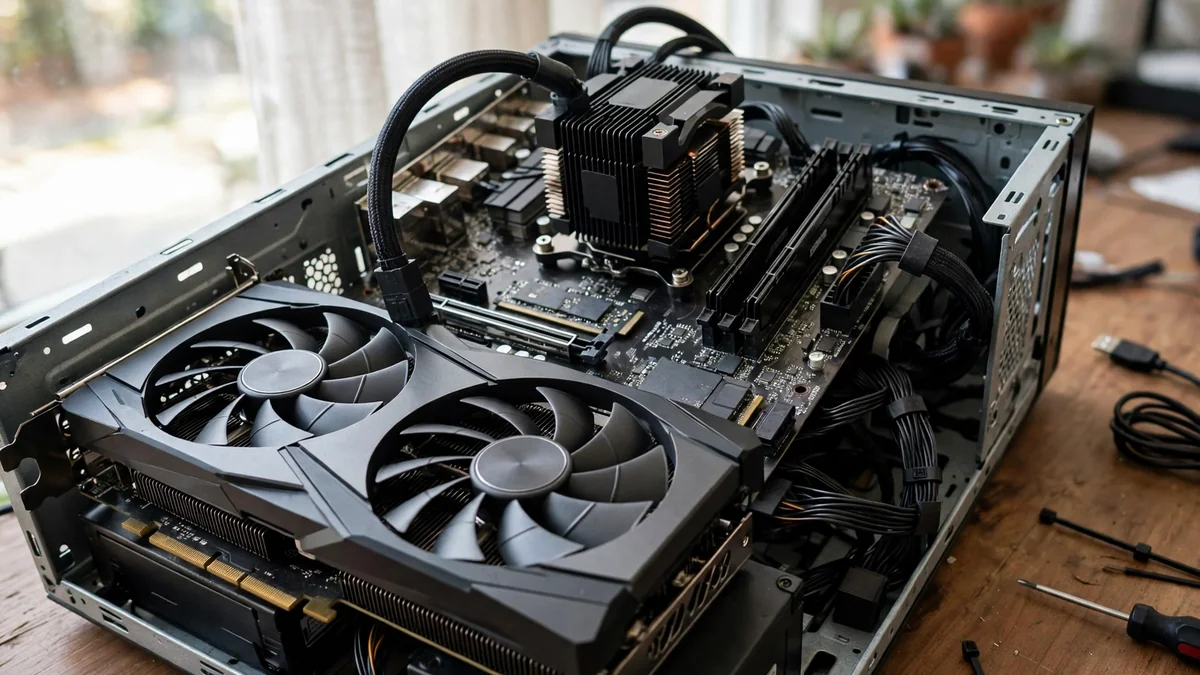
Gaming GPU Specs Explained
1. CUDA cores, stream processors, and shader cores
The first number most people look at is the core count, and it is the most misunderstood number on the sheet. A modern gaming graphics card has thousands of small processing cores: Nvidia calls them CUDA cores, AMD calls them stream processors, and both do the same job. A card with 10,000 cores can work on 10,000 pixels at once, while a card with 5,000 cores can only work on half as many. But the count cannot be compared across brands, because an Nvidia core and an AMD core are designed differently.
2. Clock speed: base and boost
Clock speed is measured in megahertz or gigahertz, and it says how many cycles per second each core runs at. A card with a boost clock of 2.5 gigahertz runs each of its cores 2.5 billion times a second. Two numbers are usually quoted: the base clock, which the card can sustain indefinitely, and the boost clock, which it reaches for short bursts when it is cool enough. The architecture behind the clock is explained in how a gaming GPU works, where the journey from game code to pixels is laid out step by step.
3. Video memory: capacity, type, and bus width
Video memory, or VRAM, is the graphics card’s own private memory, and it holds the textures, models, and frame data the card is working on right now. Capacity is quoted in gigabytes: 8, 12, 16, or 24 gigabytes on modern cards. But capacity alone is misleading. Memory bandwidth, the bus width multiplied by the memory speed and measured in gigabytes per second, is the number that really decides whether the card can feed its cores fast enough.
4. Ray tracing cores and AI cores
Modern graphics cards carry specialist cores alongside their general-purpose ones. Ray tracing cores, called RT cores by Nvidia and ray accelerators by AMD, calculate how light bounces around a scene, producing reflections, shadows, and lighting that look far more realistic than the approximations games used to rely on. The number of these cores decides how much ray tracing a card can do before the frame rate collapses. AI cores, called Tensor cores by Nvidia, run machine-learning calculations, and their most visible job is upscaling: rendering the game at a lower resolution and then using AI to rebuild it at a higher one, which gives a sharper image for far less work.

5. Power draw and cooling
Power draw, quoted in watts as the card’s TDP, is the number that decides what the rest of your computer must be. A modern high-end gaming card can draw 300 to 450 watts under load, which is more than some whole computers used a decade ago, and it needs a power supply rated well above that figure. All of that power becomes heat, and the cooling system has to remove it. Most cards use two or three fans blowing air through a stack of aluminium fins, and the size and quality of that cooler decides how loud the card is and how long it holds its boost clock.
6. Display outputs and resolution support
The outputs on the back of the card decide what monitors you can use. Modern cards offer HDMI and DisplayPort connections, and the version of each matters: DisplayPort 1.4 can drive a 4K monitor at high refresh rates, while older HDMI versions cannot. But the more important specification is the resolution and refresh rate the card can actually drive in games, not just on the desktop. A card that is superb at 1080p may struggle at 1440p and crawl at 4K, because every step up in resolution roughly doubles the number of pixels the card must draw. Refresh rate matters too: a 144-hertz monitor shows 144 frames a second, and the card must produce all of them. Buying a card far faster than your monitor can display is money spent on frames you will never see.
7. Physical size and compatibility
The last specification is the least glamorous and the most likely to cause trouble: size. A modern high-end graphics card can be more than 300 millimetres long, occupy three slots in the case, and weigh over a kilogram. Before buying, the length of the case, the clearance around the card, and the strength of the mounting bracket all need checking, because a card that does not fit is useless no matter how fast it is. None of this affects performance directly, but it decides whether the card works in your computer at all. The manufacturing side of that bulk is covered in how a gaming GPU is made, from silicon wafer to finished card, and it explains why the biggest cards are built the way they are.
Gaming GPU Specs
| Specification | Typical range |
|---|---|
| Shader cores | About 3,000 to 18,000 depending on model |
| Boost clock speed | About 1.8 to 2.6 gigahertz |
| Video memory capacity | About 8 to 24 gigabytes |
| Memory type | GDDR6 or GDDR6X |
| Memory bus width | About 128 to 384 bits |
| Memory bandwidth | About 300 to 1,000 gigabytes per second |
| Power draw | About 150 to 450 watts |
| Display outputs | HDMI and DisplayPort, usually three or four |
What Does a Gaming GPU Cost?
A mid-range gaming graphics card is estimated to cost roughly $300 to $600, a high-end card roughly $800 to $1,500, and a flagship card roughly $1,600 to $2,500 or more, depending on the model, the memory, and the cooler. That wide range is part of why a gaming GPU is so expensive, from the cost of the silicon itself to the memory and cooling hardware wrapped around it.
A Rare Fact
The graphics card was nearly killed by its own success in an unexpected way. In the early 2010s, cryptocurrency miners bought graphics cards in such numbers that gamers could barely find one to buy, and prices soared to several times their launch value.

Reading a graphics card specification sheet is a skill, and like any skill it gets easier with practice. Start with the resolution you play at, then look at the memory and bandwidth the card needs for that resolution, then check the core count and clock speed within one generation. Finally, make sure the power supply and the case can handle the card you have chosen.


